
Ubuntu Server Administration: Installing .deb Packages via DPKG
Installing third-party software on Debian-based operating systems frequently requires handling .deb package archives. Mastering Ubuntu Server Administration package management relies on low-level installation via dpkg -i, automatic dependency tree reconciliation with apt-get install -f, and package inspection with dpkg -c.
Table of Contents
- The Role of
.debPackages in the Debian & Ubuntu Ecosystem - 4 Core Pillars of Ubuntu Server Administration Package Management
- Visualizing the DPKG & APT Installation Pipeline
- Step-by-Step Installation & Dependency Resolution
- Frequently Asked Questions
- Conclusion & Next Steps
- Sources & Image Attributions
The Role of .deb Packages in the Debian & Ubuntu Ecosystem
In Ubuntu server and desktop administration, standard software packages are distributed through official APT software repositories. However, modern developer utilities, enterprise agents (like Datadog or Cloudflare Tunnel), and proprietary databases often distribute releases as standalone .deb package files.
Mastering Ubuntu Server Administration package workflows ensures administrators can safely install, inspect, verify, and remove .deb archives without corrupting system library dependencies.
Pairing package management with core terminal commands from Linux Bash Commands for DevOps and server monitoring from Linux Server Monitoring CLI guarantees high server reliability.
4 Core Pillars of Ubuntu Server Administration Package Management
A disciplined approach to Ubuntu software installation encompasses four primary practices:
1. Direct Low-Level Installation (dpkg -i)
Using sudo dpkg -i package_name.deb to unpack files and execute pre-installation scripts into system directories (/usr/bin, /etc).
2. Automated Dependency Resolution (apt-get install -f)
Executing sudo apt --fix-broken install to instruct the Advanced Package Tool (APT) to resolve and download any missing shared libraries (.so).
3. Pre-Install Package Inspection (dpkg -c & dpkg -I)
Inspecting archive contents and metadata before installation to verify security permissions, destination paths, and version information.
4. Clean Package Purging (dpkg -P / apt purge)
Removing installed packages completely, including system configuration files and daemon scripts, to prevent orphan file accumulation.

Visualizing the DPKG & APT Installation Pipeline
How Ubuntu extracts and resolves software packages:
flowchart TD
    A["Download .deb Package Archive"] --> B["Execute: sudo dpkg -i package.deb"]
    B --> C{"Are All Shared Dependencies Installed?"}
    C -->|Yes| D["Installation Complete & Daemon Started"]
    C -->|No (Dependency Error)| E["Run: sudo apt-get install -f"]
    E --> F["APT Fetches Missing Shared Libraries from Repo"]
F --> DUse sudo apt install ./package.deb instead of dpkg -i. Modern versions of APT can install local .deb files directly while automatically downloading and resolving upstream dependencies in a single step.
Step-by-Step Installation & Dependency Resolution
1. Inspect the .deb Archive
## List all files inside the package without installing
dpkg -c software-package.deb
## View package metadata, maintainer, and dependencies
dpkg -I software-package.deb
2. Install Package
## Install via APT (Recommended - resolves dependencies automatically)
sudo apt install ./software-package.deb
## Or install via low-level DPKG
sudo dpkg -i software-package.deb
3. Resolve Missing Dependencies (If Using DPKG)
sudo apt-get install -f
4. Remove or Purge Software
## Remove application files but keep configs
sudo apt remove package-name
## Purge application files AND configuration files
sudo apt purge package-name
Frequently Asked Questions
What does the -f flag stand for in apt-get install -f?
-f stands for --fix-broken. It instructs APT to scan for broken package dependencies on the system and automatically download the missing prerequisites.
Why do I need ./ when running sudo apt install ./file.deb?
Without ./, APT assumes you are searching for a package name in remote repositories rather than referencing a local file in your current working directory.
How can I verify that a .deb package installed successfully?
Run dpkg -s <package-name> to view the package status (Status: install ok installed).
Conclusion & Next Steps
Adopting disciplined Ubuntu Server Administration practices ensures that application deployments, database drivers, and server agents are installed securely without library conflicts.
At Masri Systems, we architect high-performance digital platforms, developer workflow systems, and scalable software applications. Explore our specialized Software Development and Website Architecture services to build scalable digital systems for modern enterprises.
Sources & Image Attributions
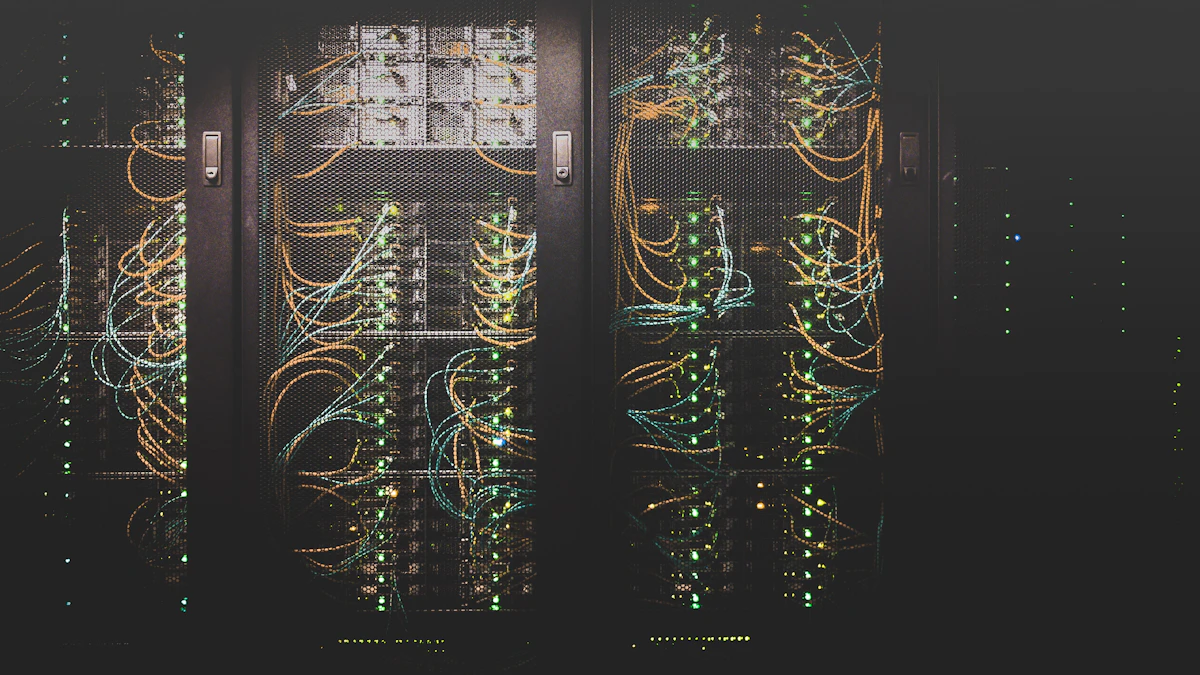
- Header Image: Server computing racks by Jordan Harrison on Unsplash
- Body Image: Developer working on code review by Caspar Camille Rubin on Unsplash
Follow Masri Systems on Google
Add us as a preferred source in Google Search.
Related Articles & Guides

Geschäftsprozesse automatisieren: 17 Scheduled Tasks der Agentur
Wie Masri Systems 17 autonome Agenten-Jobs, Sidecars und Cron-Tasks einsetzt, um Geschäftsprozesse im Entwickler-Alltag wartungsfrei zu automatisieren.

Openship: A Self-Hosted Deployment Platform With No CI/CD Pipeline
Openship is an Apache 2.0 self-hosted deployment platform that skips CI/CD YAML. What v0.6.7 does well, and why pre-1.0 status should shape your rollout.
The Complete Engineering Guide to Systems, Databases & DevOps
Master the complete backend development roadmap. Learn server-side languages, relational and NoSQL databases, API design, and containerized DevOps pipelines.

Linux Terminal Configuration: Production .bashrc Setup
Master Linux terminal configuration. Comprehensive .bashrc guide covering GNU Readline shortcuts, dynamic Git branch prompts, and Docker/Laravel.
Linux Server Monitoring CLI: Top 10 Console Tools for CPU
Master Linux server monitoring CLI tools. Compare top console utilities: btop, htop, iotop, iftop, nvtop, s-tui, and Linux perf for real-time.
Linux Bash Commands for DevOps
Master Linux Bash commands for DevOps. Comprehensive guide covering file operations, process monitoring, grep/find text filtering, pipes, and chmod.

Laravel Vue Production Deployment
Master Laravel Vue production deployment. Step-by-step guide to Vite bundling, production .env configuration, cache optimization, cron scheduling, and SSL.
Hosting Full-Stack Laravel & Vue on Nginx with PHP 8.4
Master local web server setup. Learn how to configure Nginx server blocks, PHP 8.4 FPM sockets, Vite asset compilation, and hosts domain routing.