
Version Control for Your Developer Career

Software engineers meticulously version-control codebases, yet frequently neglect tracking their own professional impact. Establishing a structured engineering work logs system provides an immutable record of architectural victories, debugging solutions, and business metrics, turning ephemeral daily commits into compounding career leverage.
Table of Contents
- The Career Version-Control Problem
- 4 Core Pillars of an Engineering Work Logs System
- Visualizing the Engineering Knowledge Loop
- The 3-Stage Weekly Review Ritual
- Frequently Asked Questions
- Conclusion & Next Steps
- Sources & Image Attributions
The Career Version-Control Problem
At the end of a demanding development quarter or during annual performance reviews, engineers often struggle to recall the hard problems they resolved three months earlier. Technical details vanish into closed pull requests, buried Slack threads, and resolved Jira tickets.
Without an engineering work logs system, you rely on memory during salary negotiations and promotion evaluations. By maintaining a lightweight, weekly changelog for your engineering output, you transform subjective recollections into quantifiable, data-backed business contributions.
Pairing structured work logs with productivity frameworks like Apply the 80-20 Principle for Productivity and dedicated knowledge bases like OmniVault AI The Developers Second Brain creates an unstoppable feedback loop for professional growth.
4 Core Pillars of an Engineering Work Logs System
An effective work log should require no more than 10 minutes per week while capturing the four vital dimensions of engineering contribution:
- Tangible Output (What You Built): Concise summaries of shipped features, schema migrations, and API endpoints.
- Technical Learnings (What You Mastered): New libraries, concurrency models, or security protocols evaluated and adopted.
- Architectural Hurdles (Challenges Overcome): Obscure race conditions, memory leaks, and third-party API quirks that you successfully navigated.
- Quantified Business Impact: The actual business leverage produced—e.g., "Refactored database query logic to reduce response latency by 35% on high-traffic endpoints."

Visualizing the Engineering Knowledge Loop
Your weekly work logs act as a self-reinforcing engine for problem solving and career progression:
flowchart LR
    A["Daily Engineering Tasks & Commits"] --> B["Mid-Week Log Snapshots (30s notes)"]
    B --> C["Friday Weekly Work Log Synthesis"]
    C --> D["Searchable Debugging & Solution Archive"]
C --> E["Objective Data for Promotion & Client Audits"]## Week of YYYY-MM-DD
### [Project Name / Epic]
- **Accomplished:** [Key feature delivered with technical context]
- **Challenge:** [Obstacle faced and resolution method]
- **Impact:** [Measurable outcome: latency reduction, unblocked teams, revenue]
- **Learned:** [New architectural concept or tooling insight]
The 3-Stage Weekly Review Ritual
To make this practice sustainable and prevent cognitive overhead, follow a frictionless weekly rhythm:
- Monday Initialization: Spend 60 seconds opening a new weekly entry in your knowledge repository.
- Mid-Week Capture: When you resolve a particularly stubborn bug or merge a major pull request, take 30 seconds to drop raw bullet points into the log.
- Friday Shutdown Synthesis: Spend five minutes polishing your notes before shutting down your laptop, giving you a clean mental boundary between work and the weekend.
Frequently Asked Questions
How is an engineering work log different from Jira or Linear tickets?
Ticketing systems track project management for the team. An engineering work log captures your personal architectural rationale, learning curves, and individual business leverage in a searchable private format.
What tool should I use to maintain my work logs?
Local-first Markdown editors like Obsidian provide the ideal platform. They offer complete data ownership, instant search, and seamless integration with AI agent querying via MCP.
How do I use work logs during compensation and performance reviews?
Export a summary of your highest-impact entries from the past 6 months. Highlighting quantified performance gains and major system deliveries provides indisputable evidence of your seniority and value.
Conclusion & Next Steps
Software engineering output is too valuable to leave to ephemeral memory. By implementing an engineering work logs system, you build an enduring personal archive that compounds your technical expertise and accelerates career trajectory.
At Masri Systems, we engineer robust digital architectures and systematic software workflows. Discover our high-performance Software Development and Clean Architecture practices to see how we build reliable systems for enterprise clients.
Sources & Image Attributions
- Header Image: Developer writing documentation by Scott Graham on Unsplash
- Body Image: Notebook on keyboard with code on screen by Glenn Carstens-Peters on Unsplash
Follow Masri Systems on Google
Add us as a preferred source in Google Search.
Related Articles & Guides

Free Developer Certifications: 5 High-Impact Courses & Badges
5 verifiable free developer certifications and coding courses from Postman, Google Cloud, DeepLearning.AI, and freeCodeCamp to elevate your engineering resume.

Sectors of Computer Science & Software Engineering
Explore the primary disciplines of computer science, tech career paths, software engineering specialization tracks, and modern developer tooling.

Software Engineer Career Roadmap
Explore the complete software engineer career roadmap. Master junior to senior transitions, high-demand tech specializations, and modern AI development.

Why PHP 8.4 & Laravel Are the Smartest Choice for Web Apps
Explore modern PHP web development. Discover why PHP 8.4 performance, strict typing, JIT compilation, and Laravel make PHP the top choice for software teams.
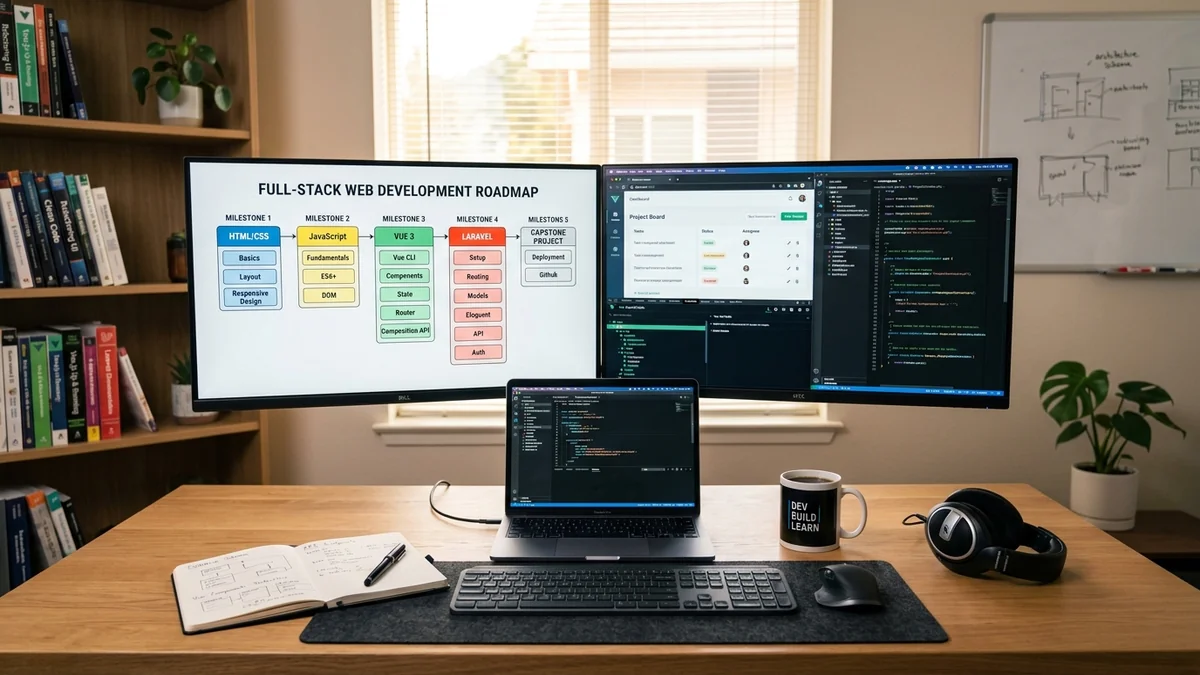
Web Development Curriculum: Full
Master full-stack web development. Comprehensive curriculum covering HTML/CSS/Tailwind, ES6+ JavaScript, Vue 3 & Vite, Laravel APIs, and CI/CD deployment.

Was ist eine Homepage Erklärung
Was ist eine Homepage Erklärung: Erfahren Sie den entscheidenden Unterschied zur Website, die 3 Kernaufgaben einer Startseite und den perfekten Seitenaufbau.

VS Code Shortcuts for Developers
Master VS Code shortcuts for developers. Discover essential multi-cursor editing, line duplication, Zen mode, and Windows productivity shortcuts.

Unblocking AI Bottlenecks & Scaling Code Orchestration in 2026
Explore agentic software engineering in 2026. Overcome context limits, review fatigue, and integration drift when scaling autonomous multi-agent.