
WCAG 2.1 Web Accessibility: Complete Level AA Compliance
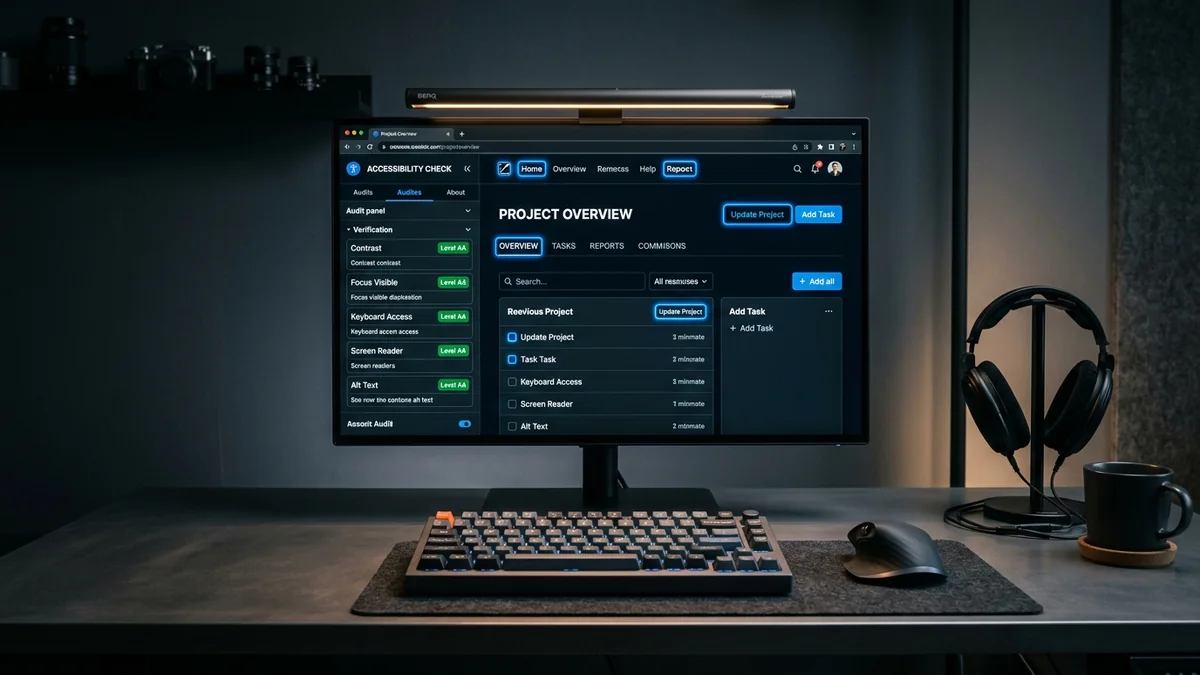
Meeting global digital accessibility standards requires adherence to the W3C Web Content Accessibility Guidelines. Achieving WCAG 2.1 Web Accessibility Level AA compliance mandates fulfilling the four core principles: Perceivable (text alternatives, contrast), Operable (keyboard focus, no traps), Understandable (error recovery, input labels), and Robust (semantic ARIA markup).
Table of Contents
- The Universal Importance of Web Accessibility Standards
- The 4 Core Principles of WCAG 2.1 Level AA (POUR)
- Visualizing the WCAG 2.1 Evaluation Matrix
- Technical Implementation Checklist for Developers
- Frequently Asked Questions
- Conclusion & Next Steps
- Sources & Image Attributions
The Universal Importance of Web Accessibility Standards
Digital accessibility is no longer optional—it is a fundamental requirement of modern software engineering. Over 15% of the world's population lives with some form of disability. Building accessible web applications ensures equal access to information, e-commerce, and public services while drastically improving search engine discoverability.
Implementing WCAG 2.1 Web Accessibility standards harmonizes your platform with international legal frameworks, including the European EN 301 549 directive and the US Americans with Disabilities Act (ADA).
Pairing accessibility audits with semantic best practices from Semantic HTML Accessibility and legal frameworks from Barrierefreie Website Entwicklung creates robust digital experiences for all users.
The 4 Core Principles of WCAG 2.1 Level AA (POUR)
The Web Content Accessibility Guidelines are organized around four foundational principles:
1. Perceivable
Information and UI components must be presentable to users in ways they can perceive:
- Non-Text Content (9.1.1.1): Provide descriptive
alttext for all informative images. - Contrast Minimum (9.1.4.3): Maintain at least 4.5:1 contrast for normal text and 3:1 for large text.
- Reflow (9.1.4.10): Ensure content adapts to mobile viewports without two-dimensional horizontal scrolling down to 320px width.
2. Operable
User interface components and navigation must be operable:
- Keyboard Navigation (9.2.1.1): All interactive elements must be fully operable via keyboard alone.
- No Keyboard Traps (9.2.1.2): Focus must never become trapped within modals or widgets.
- Visible Focus (9.2.4.7): Always display an unambiguous, high-contrast focus indicator ring.
3. Understandable
Information and UI operations must be intuitive:
- Consistent Navigation (9.3.2.3): Keep navigation bars and menus in the same relative order across pages.
- Error Identification & Suggestion (9.3.3.1 / 9.3.3.3): Clearly describe input errors in text and provide actionable correction guidance.
4. Robust
Markup must be compatible with modern assistive technologies:
- Name, Role, Value (9.4.1.2): Use valid semantic HTML tags or ARIA attributes so screen readers accurately identify buttons, dialogs, and states.

Visualizing the WCAG 2.1 Evaluation Matrix
How the four POUR principles protect full-stack accessibility:
flowchart TD
    A["Web Application (WCAG 2.1 Level AA)"] --> B["Perceivable: 4.5:1 Contrast & Alt Text"]
    A --> C["Operable: 100% Keyboard & Tab Navigation"]
    A --> D["Understandable: Clear Form Labels & Error Validation"]
    A --> E["Robust: Semantic HTML & Valid ARIA Roles"]
    B --> F["Universal Assistive Tech Compatibility (NVDA / VoiceOver)"]
    C --> F
    D --> F
    E --> F
Never use outline: none in CSS without providing an alternative :focus-visible style. Suppressing keyboard focus rings makes navigation completely impossible for millions of keyboard-only users.
Technical Implementation Checklist for Developers
- Add explicit
<label for="...">associations to every form input. - Provide descriptive
aria-labelattributes on icon-only buttons (<button aria-label="Close dialog">). - Implement skip-to-content bypass links (
<a href="#main-content" class="sr-only focus:not-sr-only">). - Ensure all modal dialogs implement focus trapping and dismiss on
Escapekey press. - Verify that video media embeds provide captions and audio descriptions.
Frequently Asked Questions
What is the difference between WCAG Level A, AA, and AAA?
Level A represents the bare minimum baseline (must-have). Level AA is the globally recognized legal standard required by governments and enterprise contracts. Level AAA is the highest, most specialized level of accessibility.
Do automated testing tools catch all WCAG violations?
No. Automated tools (like Axe, Lighthouse, and WAVE) typically detect 30% to 40% of accessibility issues. The remaining violations (logical tab order, meaningful alt descriptions, error clarity) require manual human review.
How does WCAG compliance improve organic SEO?
Search engine crawlers parse web pages very similarly to screen readers. Semantic heading hierarchies, structured tables, and descriptive alt text directly enhance Google's understanding of page content.
Conclusion & Next Steps
Adhering to WCAG 2.1 Web Accessibility standards is an essential hallmark of professional software development. By building with universal design principles, engineering teams create more inclusive, resilient, and higher-ranking digital applications.
At Masri Systems, we architect accessible digital platforms, perform rigorous A11y audits, and build high-performance web applications. Explore our specialized Software Development and Website Design services to ensure your web presence meets international accessibility standards.
Sources & Image Attributions
- Header Image: Inclusive technology workspace by Christina @ wocintechchat.com on Unsplash
- Body Image: Software engineer reviewing code by ThisisEngineering on Unsplash
Follow Masri Systems on Google
Add us as a preferred source in Google Search.
Related Articles & Guides

Universal SEO & GEO Checklist 2026: Search and AI Engine Guide
Master technical search with the Universal SEO and GEO Checklist 2026. Audit Core Web Vitals, JSON-LD schemas, and AI crawler citations for peak visibility.

The New Masri Systems Logo: Brand Identity for Custom Website Design
Explore the engineering and design philosophy behind the new Masri Systems logo mark, custom website design systems, and architectural identity.

Multi-Plattform Local SEO: Google, Apple & Bing Maps
Warum Google allein nicht reicht: So sichern Sie sich Top-Rankings auf Apple Maps (Siri), Bing Places (Copilot) und Google Local.

Website SEO & AI Search Engines
Master website SEO & AI search engines. Automate instant IndexNow submissions to Bing and AI crawlers using GitHub Actions, curl, and automated sitemap.

Webdesign Oldenburg / Bremen & Lokale SEO Strategie 2026
Professionelles Webdesign Oldenburg / Bremen & Lokale SEO Strategie 2026: Google Business Profile, Local Pack Dominanz, Trust-Signale & Top-Rankings.

Web Development Utilities: 10 Essential Free Browser Tools
Master essential web development utilities. Discover 10 free online tools for JSON formatting, JWT decoding, HAR network analysis, Base64, and CSV/YAML.

Was ist eine Homepage Erklärung
Was ist eine Homepage Erklärung: Erfahren Sie den entscheidenden Unterschied zur Website, die 3 Kernaufgaben einer Startseite und den perfekten Seitenaufbau.

Vue JS Application Architecture
Master Vue JS application architecture. Comprehensive scaffolding guide covering TypeScript interfaces, modular directory structure, Pinia, and VueUse.