
Semantic HTML Accessibility: WCAG 2.1 Info
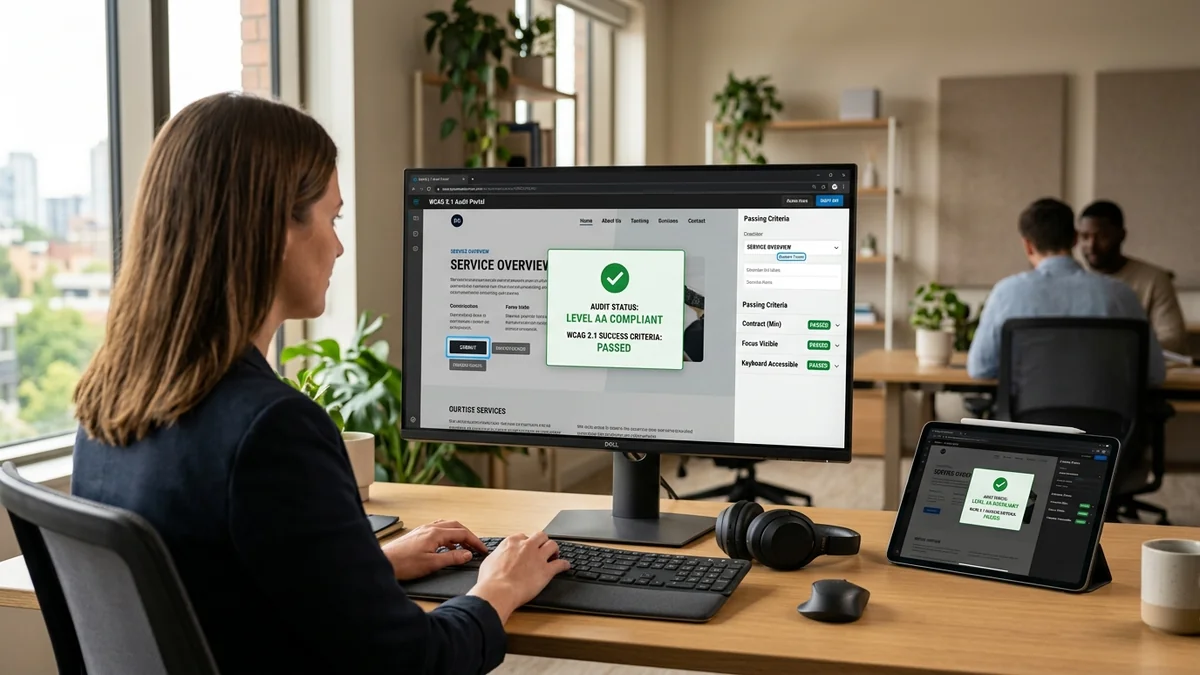
Visual presentation alone does not convey meaning to screen readers or search engine crawlers. Implementing Semantic HTML Accessibility enforces WCAG 1.3.1 Info & Relationships (explicit heading hierarchies, table headers, <label for> attributes) and WCAG 1.3.2 Meaningful Sequence (DOM tab order matching visual flow).
Table of Contents
- The Dual Mandate of WCAG Structure Criteria
- 4 Core Pillars of Semantic HTML Accessibility
- Visualizing the DOM Order vs. Visual Presentation
- Real-World E-Commerce & Checkout Implementation Patterns
- Frequently Asked Questions
- Conclusion & Next Steps
- Sources & Image Attributions
The Dual Mandate of WCAG Structure Criteria
When sighted users view a web page, they instantly understand relationships between elements: bold oversized text denotes a heading, a grid represents a data table, and proximity indicates which label belongs to an input field. However, assistive technologies (such as screen readers or braille displays) cannot "see" visual styling.
Establishing strict Semantic HTML Accessibility ensures that structural relationships and sequential flows are programmatically determinable in the underlying HTML markup.
Pairing semantic markup with broader compliance rules from WCAG 2.1 Web Accessibility and regulatory standards from Barrierefreie Website Entwicklung creates a fully accessible, top-ranking web application.
4 Core Pillars of Semantic HTML Accessibility
Mastering criteria 1.3.1 and 1.3.2 requires four fundamental markup practices:
1. Rigorous Heading Hierarchy (<h1> to <h6>)
Never use styled <div> or <span> tags to mimic headings. Use native heading tags in logical, un-skipped sequential order to allow screen reader users to jump across page sections.
2. Explicit Form Associations (<label for="...">)
Every form control must have an associated <label> connected via for and id attributes. Never rely on placeholder text as a substitute for explicit labels.
3. Structured Data Tables (<th>, scope, <caption>)
Data grids and pricing comparison tables must use <th> tags with scope="col" or scope="row" so screen readers announce row and column headers when reading individual cells.
4. DOM Reading Order Matches Visual Order
Avoid using CSS properties like flex-direction: row-reverse or absolute positioning to change the visual order of elements in ways that contradict the underlying DOM tab sequence.

Visualizing the DOM Order vs. Visual Presentation
Why DOM sequence must preserve meaningful logical flow:
flowchart TD
    A["User Inputs Focus (Tab Key)"] --> B["DOM Tree Sequential Traversal"]
    B --> C["Step 1: Product Title & Price"]
    B --> D["Step 2: Size & Color Variant Selectors"]
    B --> E["Step 3: 'Add to Cart' Interactive Action"]
    B --> F["Step 4: Product Specifications & Reviews"]
    C --> G["Seamless Mental Model for Assistive Tech"]
    D --> G
    E --> G
F --> GAlways use native <button> or <a> elements. A <div onclick="..."> lacks native keyboard focus, Enter/Space activation, and screen reader role announcements unless dozens of redundant ARIA attributes are manually added.
Real-World E-Commerce & Checkout Implementation Patterns
🛒 Accessible Product Listing Markup
<article class="product-card">
  <h2>Organic Coffee Beans</h2>
  <img src="coffee.webp" alt="Medium roast Ethiopian Yirgacheffe beans in burlap bag">
  <ul class="product-features">
    <li>Fair Trade Certified</li>
    <li>Whole Bean 1kg</li>
  </ul>
  <button type="button" aria-label="Add Organic Coffee Beans to Cart">Add to Cart</button>
</article>
💳 Accessible Form Label Pairing
<div class="form-group">
  <label for="shipping-address">Shipping Address <span aria-hidden="true">*</span></label>
  <input type="text" id="shipping-address" name="address" required aria-required="true">
</div>
Frequently Asked Questions
What happens if I use CSS to visually reorder elements without changing the DOM?
Screen readers and keyboard navigation follow the DOM order, creating a severe disconnect for low-vision or keyboard-only users where the focus jumps unexpectedly across the screen.
Can ARIA attributes compensate for non-semantic HTML?
While ARIA attributes like role="heading" or aria-level="2" can provide semantic hints, the first rule of ARIA is: Do not use ARIA if a native HTML element already exists.
How does semantic HTML improve Google Search rankings?
Googlebot evaluates semantic tags to understand the core topics of a page. Clear heading trees and structured lists directly improve Google's ability to extract featured snippets.
Conclusion & Next Steps
Disciplined Semantic HTML Accessibility bridges the gap between visual aesthetics and machine-readable web architecture. By constructing meaningful DOM hierarchies, software teams create inclusive, high-performing websites.
At Masri Systems, we engineer accessible digital platforms, execute rigorous A11y audits, and build high-performance web applications. Explore our specialized Software Development and Website Design services to elevate your digital products.
Sources & Image Attributions
- Header Image: Developer working on code review by Caspar Camille Rubin on Unsplash
- Body Image: Inclusive technology workspace by Christina @ wocintechchat.com on Unsplash
Follow Masri Systems on Google
Add us as a preferred source in Google Search.
Related Articles & Guides

Universal SEO & GEO Checklist 2026: Search and AI Engine Guide
Master technical search with the Universal SEO and GEO Checklist 2026. Audit Core Web Vitals, JSON-LD schemas, and AI crawler citations for peak visibility.

Multi-Plattform Local SEO: Google, Apple & Bing Maps
Warum Google allein nicht reicht: So sichern Sie sich Top-Rankings auf Apple Maps (Siri), Bing Places (Copilot) und Google Local.

Website SEO & AI Search Engines
Master website SEO & AI search engines. Automate instant IndexNow submissions to Bing and AI crawlers using GitHub Actions, curl, and automated sitemap.

Webdesign Oldenburg / Bremen & Lokale SEO Strategie 2026
Professionelles Webdesign Oldenburg / Bremen & Lokale SEO Strategie 2026: Google Business Profile, Local Pack Dominanz, Trust-Signale & Top-Rankings.

Web Development Utilities: 10 Essential Free Browser Tools
Master essential web development utilities. Discover 10 free online tools for JSON formatting, JWT decoding, HAR network analysis, Base64, and CSV/YAML.

Was ist eine Homepage Erklärung
Was ist eine Homepage Erklärung: Erfahren Sie den entscheidenden Unterschied zur Website, die 3 Kernaufgaben einer Startseite und den perfekten Seitenaufbau.
WCAG 2.1 Web Accessibility: Complete Level AA Compliance
Master WCAG 2.1 web accessibility compliance. Comprehensive Level AA guide covering Perceivable, Operable, Understandable, and Robust principles.
Technical SEO Resources: The Curated Engineering Directory
Explore the best technical SEO resources in 2026. Discover curated keyword research tools, mobile SERP testers, content refresh analyzers, and crawler.